A guide to your topographic ring
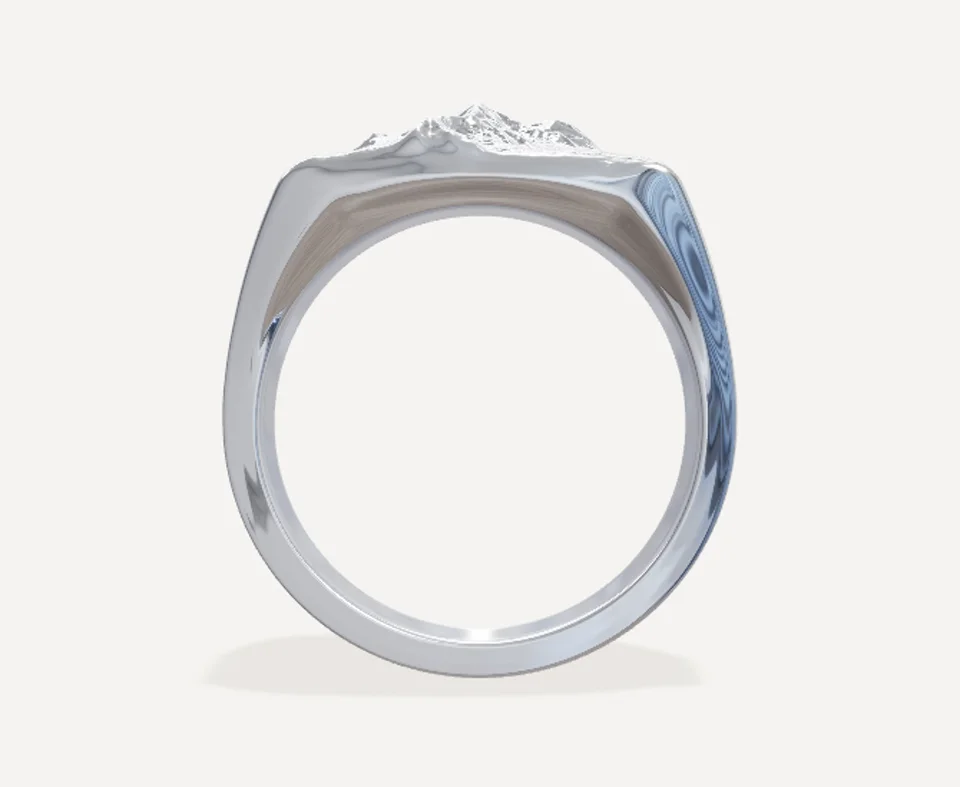
A place can hold a whole story. A topographic ring gives that place a physical shape: the terrain you choose becomes the surface of a silver ring. Here is how to choose a landscape and turn it into your design.
1. Choose the landscape, then frame it
Search for a mountain or move the map to a meaningful location. Begin with a recognisable ridge or peak. A smaller area concentrates the design on local features; a wider area includes more of the surrounding landscape. Rotate the map until the ridge sits well across the ring.
2. Balance relief height and detail
Height controls how strongly the landscape rises above the ring. Detail controls the density of the terrain model. They are separate settings: increasing detail does not automatically make a peak taller. Inspect the design from the side as well as from above.
3. Check the size in millimetres
Ring size is the inner diameter of the band. The studio supports 15–23 mm in half-millimetre steps. Do not enter a US size directly. A jeweller can measure the required diameter; an existing well-fitting ring can also help you compare sizes.
4. Share the configuration or send a request
Use the studio’s Share action to keep the selected location and all design settings in a link. When you are ready, submit the order form. This creates a request for confirmation; it does not charge your card.
Where the landscape comes from
The studio uses Terrarium elevation data, with Mapbox Terrain-RGB as a fallback if Terrarium is unavailable. The selected area is sampled and shaped into a ring. Terrain coverage and the area you choose affect the result; the preview is a design representation rather than a precision survey.
Mapbox Terrain-RGB ↗Terrarium ↗
Silver ring prices
| Relief detail | Ring price |
|---|---|
| Low | $210 |
| Medium | $220 |
| High | $230 |
Displayed configuration prices. Send an order request to confirm the design, payment and delivery before production.
Questions before you design
What is a topographic ring?
A topographic ring carries the terrain of a real place as a three-dimensional relief. Mesto Metal lets you choose a location on a map and shape that landscape into the upper surface of a silver mountain ring.
Can I choose my own mountain or place?
Yes. Search for a place or move the map, then adjust the selected area and its rotation. The studio starts with Mount Beshtau, the landscape shown on the homepage. You can replace it with your own location.
How much does a custom silver ring cost?
The displayed silver ring prices are $210 with low detail, $220 with medium detail and $230 with high detail. These are fixed USD prices, not exchange-rate conversions. Submit a request to confirm your design and payment details before production.
What ring sizes are available?
The configurator offers inner diameters from 15 to 23 mm in 0.5 mm steps. These values are diameters in millimetres, not US ring-size numbers. If you are unsure, have your finger measured by a jeweller before submitting your request.
Can I control the height and orientation of the terrain?
Yes. Adjust the map area, rotation and relief height, then inspect the ring in 3D. These are design controls: the relief is adapted to the ring and is not a survey-scale reproduction of the landscape.
Can I save or share my exact ring design?
Use Share in the studio to copy a configuration link. It includes the location, map scale and bearing, relief height, detail level, ring size and shape settings. Opening the link restores those settings.
Does submitting the form take a payment?
No. The form sends an order request with your configuration and contact details. We contact you to confirm the design and payment method before making the ring. Delivery options and timing should be confirmed for your destination.